LanScan alternative for Windows, Linux and mobile
Short answer: LanScan is a good Mac scanner, and it is only a Mac scanner. There is no Windows, Linux, iPhone or Android version. If you are moving off the Mac, or need the same view on another machine, you need a different tool.
If you are staying on the Mac, LanScan is still worth keeping: it is actively updated, the free version shows every device, and the upgrades are cheap. This page covers what it does, where it stops, and what to use on each other platform.
Try DeviceShelf free for 14 days
What LanScan does
LanScan is made by iwaxx and sold through the Mac App Store. It picks up your network interfaces by itself (Wi-Fi, Ethernet and virtual ones), scans the local subnet with ARP and other address ranges with ping, SMB and mDNS, and lists each device with IP address, MAC address, vendor and up to four hostnames. Names come from DNS, from mDNS for Apple devices and from SMB for Windows machines. It also shows IPv6 link-local and global addresses, lets you rename devices and add comments, open a device's web page and export everything to CSV.
It is well looked after. Version 8.2.18 came out in November 2026 with recognition for newer Apple devices and crash fixes, after a September update that added your public IP with country and provider, and regular updates to the vendor database. When the macOS 27 beta blocked access to the ARP table in July 2026, the developer shipped a workaround a month later. It needs macOS 12 or newer.
The free version and the upgrades
The free version finds and lists every device, with no cap on the number. What it holds back is detail: according to the App Store description, some hostnames, comments, TCP ports or IPv6 addresses are obscured until you buy an upgrade. The description also says plainly that buying an upgrade will not fill a column that is empty, which is an honest thing to put in a store listing.
The upgrades are in-app purchases, separately for IPv4 and IPv6, plus a newer option offered either as a time-limited purchase or as a one-time unlock. Check the current list in the App Store before buying, because it has grown over the versions.
Why people look for an alternative
Another platform. By far the most common reason. LanScan does not run on Windows or Linux, and there is no phone version.
No history or alerts. LanScan shows what answers right now. It does not keep a history, watch the network or tell you when a new device joins. You scan again and compare by eye.
Vendor and Apple models only. It names the maker from the MAC address and Apple models from its own database. A device that shows up as "Espressif" or "Tuya" stays a chip maker, not a plug or a camera.
No security view. You see open TCP ports, but nothing that tells you whether a service is a problem.
That is the scope the developer chose: LanScan is a fast, native list, and it is good at being one.
LanScan on Windows, Linux and phones
What to use instead, platform by platform. We make the last tool listed under each, so weigh that accordingly.
Windows
Advanced IP Scanner is free, Windows only, and adds remote-access shortcuts and Wake-on-LAN. Angry IP Scanner is free and open source, and its Windows installer brings its own Java. Both give you the IP, MAC, vendor and hostname list you know from LanScan. DeviceShelf runs natively on Windows as well, with the same licence as on the Mac.
Linux
Angry IP Scanner ships DEB and RPM packages and needs Java 21 or newer. arp-scan is a quick command-line ARP sweep with MAC and vendor. Nmap is in every distribution. DeviceShelf runs natively on Linux as an AppImage. See the Linux notes.
iPhone and Android
Fing is the best-known phone scanner, with basic scans that need no account. Be aware that iOS and recent Android versions do not let any app read other devices' MAC addresses, so phone scanners show less than LanScan does on a Mac. DeviceShelf has iOS and Android apps that can show the full data from a desktop or server copy on the same network.
Other Mac scanners
If you are staying on the Mac and want something different: Angry IP Scanner (free, Java bundled), Nmap (free, command line), IP Scanner (free for up to 15 devices, one-time upgrade, strong on labelling), Network Radar (one-time purchase, alerts on devices joining and leaving), and Fing Desktop (account required, subscription for monitoring). All nine are compared on the best network scanner for Mac.
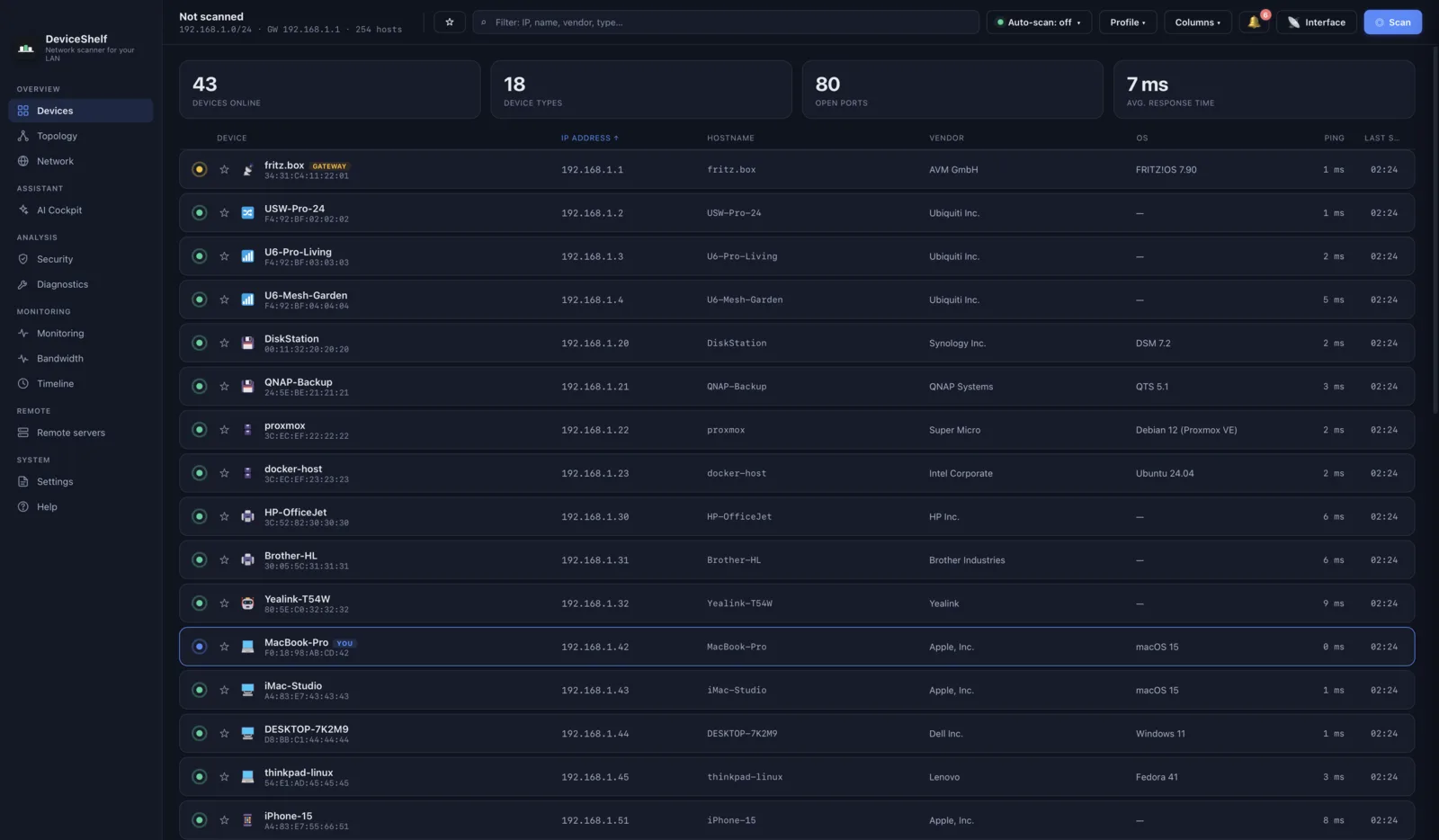
DeviceShelf vs LanScan
| Feature | DeviceShelf | LanScan |
|---|---|---|
| Desktop: macOS / Windows / Linux | All three | macOS only |
| Mobile apps (iOS / Android) | ✓ | — |
| Works without an account | ✓ | ✓ |
| Pricing | One-time purchase | Free + in-app purchases |
| IP, MAC, vendor, hostname | ✓ | ✓ (some details hidden in the free version) |
| Device type identification | ✓ (several signals) | ~ vendor, Apple models |
| AI device ID & chat (your own key) | ✓ | — |
| Open ports | ✓ | ✓ TCP |
| Security report / deep probes (TLS, SSH, SMB, HTTP) | ✓ | — |
| History & new-device alerts | ✓ | — |
| Physical topology map (LLDP / CDP) 1 | ✓ | — |
| Built-in syslog server | ✓ | — |
| 24/7 headless server edition | ✓ | — |
| MCP server (local AI assistant access) | ✓ (server edition) | — |
| Export | ✓ | ✓ CSV |
✓ = yes · — = no · ~ = limited. Checked November 2026 against the Mac App Store listing and release notes of LanScan 8.2.18.
1 Needs LLDP/CDP-capable switches.
Keep LanScan or switch?
Keep LanScan if you only use a Mac and want a quick, native list with IPv6 detail. It is maintained, the free version shows every device, and the upgrades cost little.
Take a free tool if you just need the same list on Windows or Linux: Advanced IP Scanner or Angry IP Scanner on Windows, Angry IP Scanner or arp-scan on Linux.
Switch to DeviceShelf if you want one app on the Mac, Windows, Linux and your phone under one licence, and you want it to tell you what each device is, what joined since yesterday and which services look risky. Your data stays on your own machine unless you switch on the optional AI, and there is no account. The trial runs for 14 days and needs no card.
Try DeviceShelf free for 14 days See all nine Mac scanners compared
Questions people actually ask
Is there a LanScan for Windows?
No. LanScan is Mac only. On Windows, Advanced IP Scanner and Angry IP Scanner are the free equivalents, and DeviceShelf runs there too.
Is there a LanScan for Linux?
No. Use Angry IP Scanner, arp-scan or Nmap, or DeviceShelf, which runs natively on Linux.
Is there a LanScan for iPhone or Android?
No. Fing is the best-known phone scanner, and DeviceShelf has iOS and Android apps. Phones cannot read other devices' MAC addresses, so they show less than a Mac does.
Is LanScan still updated?
Yes. Version 8.2.18 came out in November 2026, and there were several updates over the summer and autumn, including a fix for the macOS 27 beta.
What does the free version of LanScan hide?
It lists every device but obscures some hostnames, comments, TCP ports or IPv6 addresses until you buy an upgrade.
Why does LanScan show no MAC addresses?
A scan reads MAC addresses through ARP, which only reaches devices on your own subnet. During the macOS 27 beta, the system also blocked access to the ARP table for a while; LanScan 8.2.14 added a workaround.
Can LanScan alert me to new devices?
No, it scans on demand. Network Radar on the Mac, Fing with a subscription, and DeviceShelf alert you to new devices.
More comparisons: Advanced IP Scanner on a Mac · The best network scanner for Mac
All product names, logos and trademarks are the property of their respective owners. Mention here is for identification and comparison purposes only and does not imply any affiliation or endorsement. Feature and pricing details are gathered from public sources and may change; if you spot something out of date, please let us know.